

Faster Picking with D365 SCM
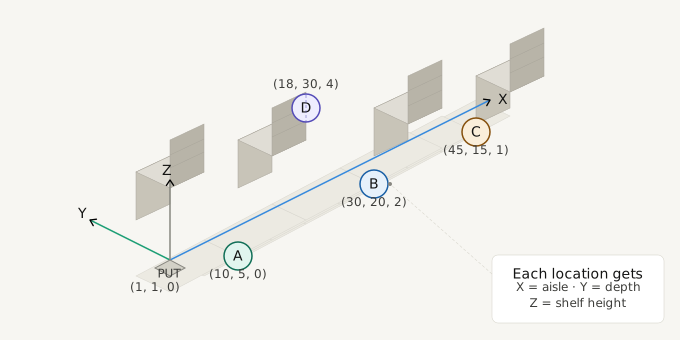
With Dynamics 365 Supply Chain Management version 10.0.48, Microsoft introduces Warehouse spatial location, a new preview feature that allows X, Y, and Z coordinates to be assigned to each warehouse location. The system uses these coordinates to automatically calculate optimized picking routes and minimize employee walking distances.
As soon as the wave processing step Sort picking work lines is activated, the picking lines within a work dataset are reordered so that employees take the most efficient route through the warehouse, starting at the farthest warehouse location and ending at the location closest to the put-away position.
Distance Calculation with Straight-Line and City Block Methods
Two strategies are available for distance calculation:
- The Straight-Line method is suitable for open warehouse areas where employees can walk diagonally.
- The City Block method is better suited for warehouses with aisle structures where defined walking paths and turns must be followed
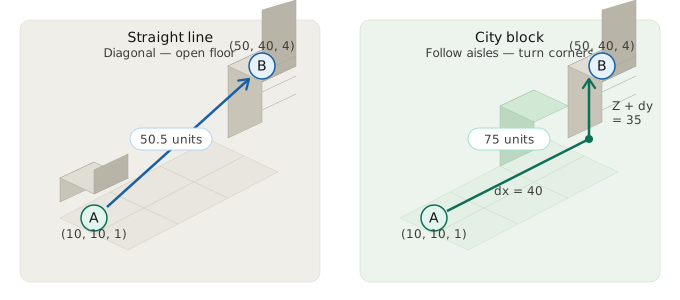
Both methods consider the full rack height at source and destination, since employees must first move down and then back up again to the next storage location.
Sorting Algorithms for Optimized Picking Routes
Two algorithms are available for sorting picking routes:
- The Fast Calculation algorithm uses a nearest-neighbor approach. It works quickly and is suitable for most standard warehouses.
- The Optimized Route algorithm performs additional optimization steps, reduces crossovers, and minimizes the total walking distance — especially in more complex warehouse structures.
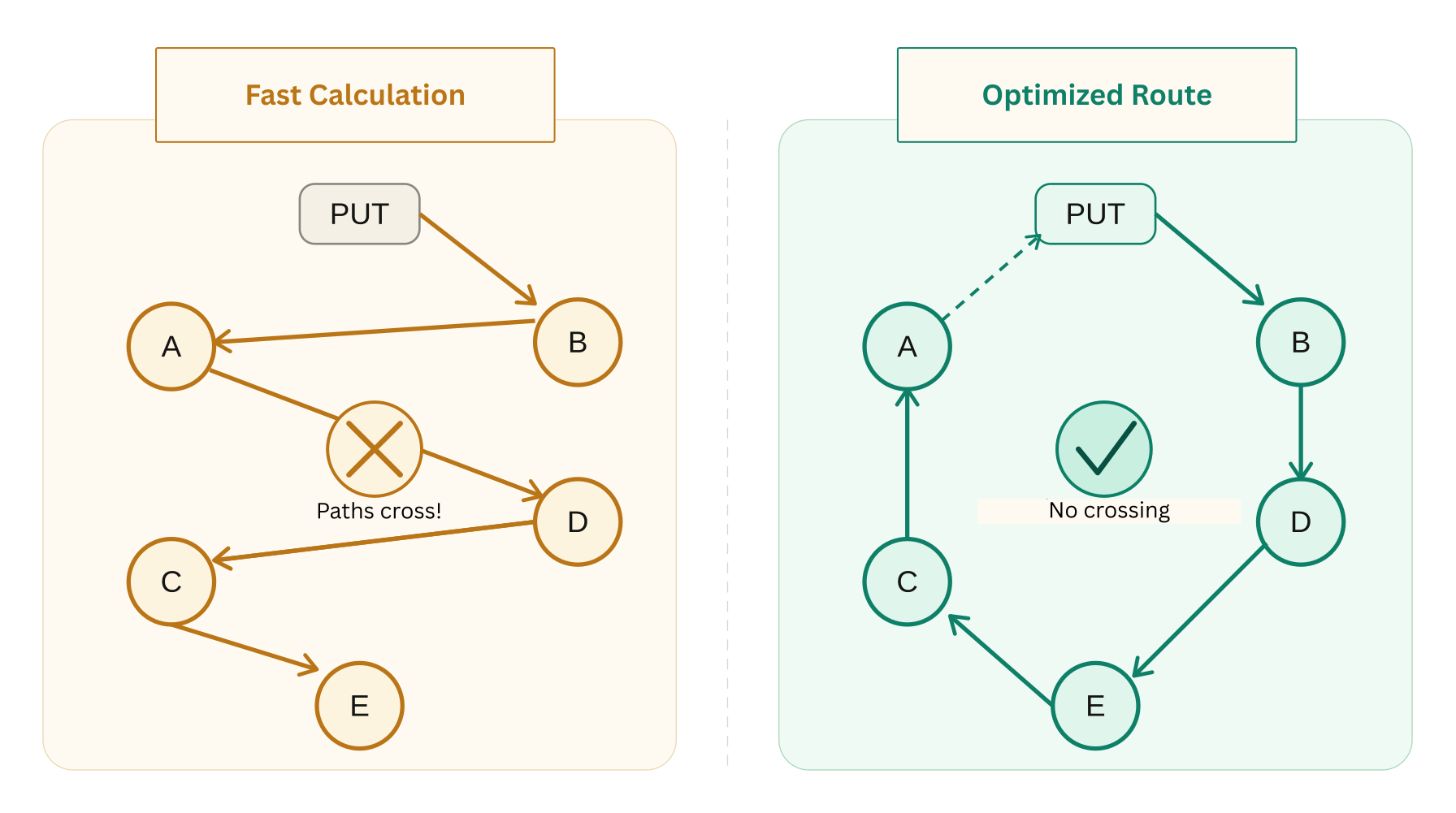
Both algorithms start at the farthest picking location and end at the warehouse location closest to the put-away position.
Only the picking lines before the first put-away line are reordered; later cycles within the same work dataset remain unchanged.
Integration into Wave Processing

The step Sort picking work lines is embedded directly into wave processing. Routes are automatically optimized before the work is released.
Prerequisites
- Microsoft Dynamics 365 Supply Chain Management version 10.0.48 or higher.
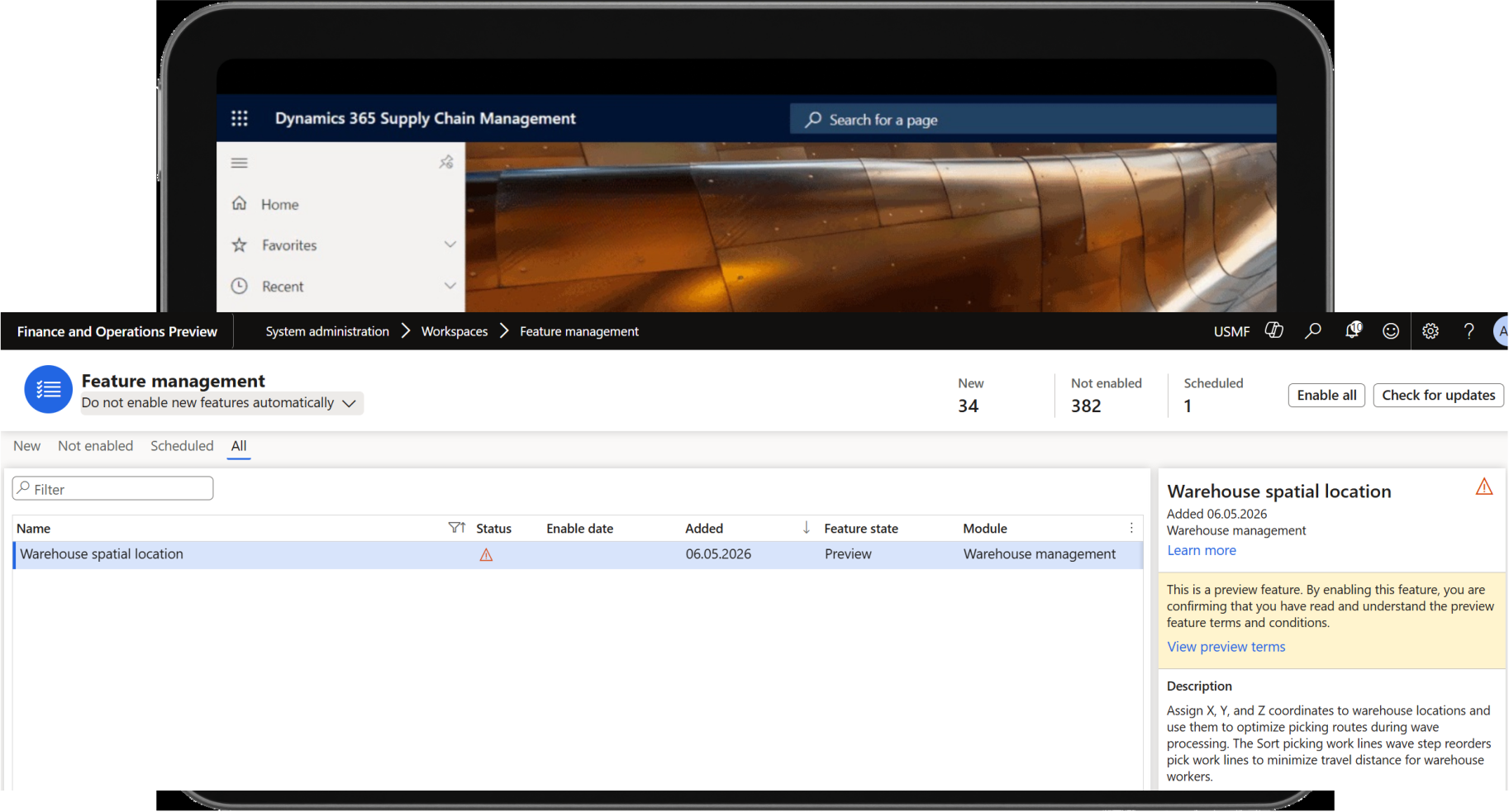
- Enable the Warehouse spatial location feature in Feature Management.
The feature is currently available as a Public Preview, with general availability planned for June 2026.
Conclusion
With Warehouse spatial location, Microsoft Dynamics 365 Supply Chain Management extends warehouse logic with a new capability for path-based picking optimization. Companies can use it to reorder picking routes system-side based on physical warehouse positions and align warehouse processes more closely with the actual warehouse structure.
Especially in warehouse environments with more complex walking paths, this feature can be an interesting approach to specifically leverage efficiency potential within the standard solution.
More About Microsoft Dynamics 365 Supply Chain Management
Learn how to optimize your processes in planning, production, warehousing, and logistics with a modern, integrated solution.
Would You Like to Evaluate Warehouse Spatial Location for Your D365 Environment?
The team at Dynamity Group will be happy to advise you.