

Dynamity Advanced Data Migration
Dynamity Advanced Data Migration
The intelligent, AI-powered data migration solution for Dynamics 365 Finance & Operations
Data migration to Dynamics 365 Finance & Operations is one of the most critical phases of any ERP project. Data is often inconsistent, incomplete, or difficult to extract from legacy systems. Traditional tools and manual methods are slow, error-prone, and hardly scalable.
With Dynamity Advanced Data Migration, we provide a powerful framework that makes data migrations significantly faster, safer, and more efficient through automation and AI.
Built from real-world Dynamics 365 projects, this solution is designed to drastically reduce migration effort while ensuring the highest level of data quality.
Why Our Solution?

AI-powered automation
- Copilot agents automatically analyse data structures and detect table relationships across source systems.
- AI suggests precise field mappings, validation rules and transformation logic to accelerate project preparation.
- Project teams spend less time on manual analysis and can focus on higher-value migration activities.

Error-free data before go-live
- AI-powered quality checks identify data issues long before the final import into Dynamics 365.
- Data type, rule and logic validations help prevent inconsistencies and migration errors.
- This reduces rework, avoids last-minute corrections and supports a smoother go-live.

100% compatible with Dynamics 365
- Export files are automatically generated in the exact format required by the Dynamics 365 Data Management Framework (DMF).
- No manual file adjustments or format corrections are required before import.
- Data can be loaded directly into Dynamics 365 through standard data management processes.

Minimized risk throughout the project
- Transparent and repeatable processes provide full visibility into every migration step.
- Validation rules, mappings and error logs remain traceable throughout the project lifecycle.
- Reproducible migration runs significantly reduce project risk and support predictable go-live outcomes.

Perfect for SAP, NAV, AX & legacy systems
- The framework automatically analyses the structure of the source system and its data model.
- AI identifies relationships, patterns and mappings regardless of the originating ERP platform.
- Suitable Dynamics 365 target entities and field mappings are derived automatically to accelerate migration projects.
How does the migration process work?
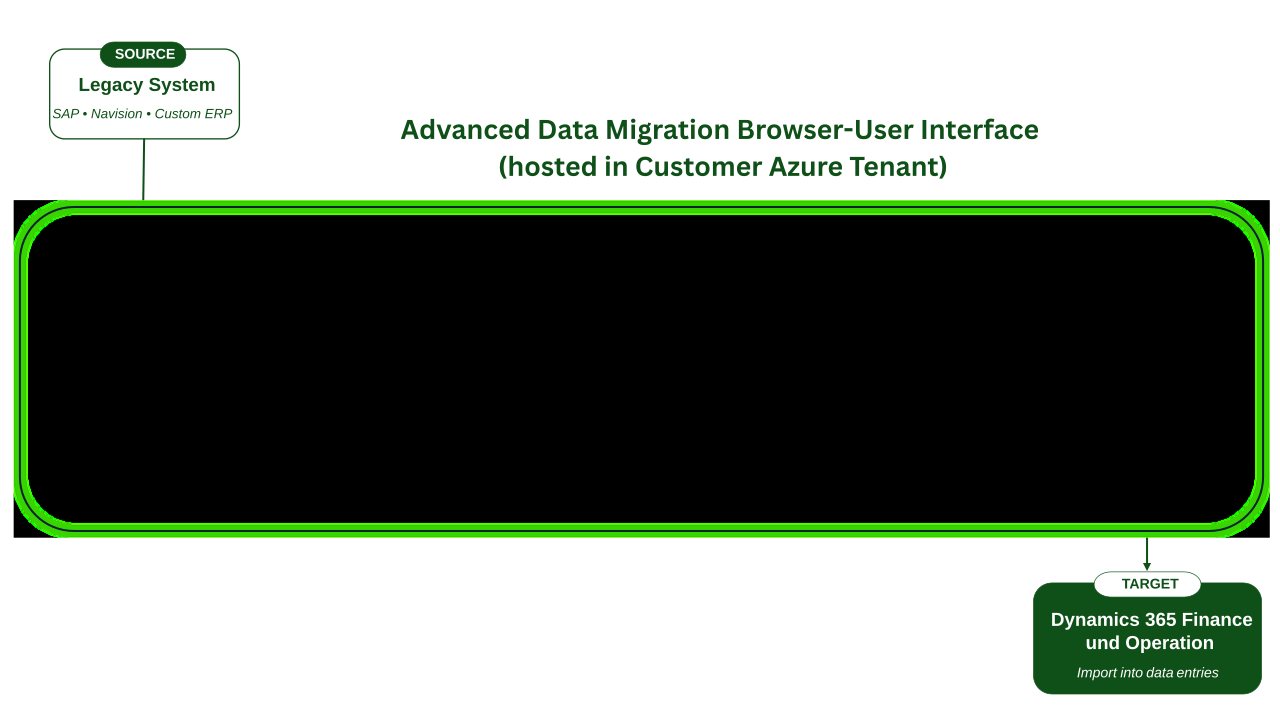
- Data is exported from SAP, NAV, AX, or other ERP systems and uploaded via the Advanced Data Migration browser user interface.
- Azure Data Factory automatically ingests the source data and stores it in a structured format within the central DATA + CONFIG DB (Azure SQL Database).
- AI analyzes the data structures, identifies relationships between records, and automatically generates mappings and validation rules for Dynamics 365.
- The data is transformed, cleansed, and validated to ensure data quality and consistency.
- Upon successful verification, the framework generates a final export in the format required for Dynamics 365 Finance & Operations data entities.
- The data can then be imported directly into Dynamics 365 Finance & Operations.
- All data is hosted in a user-defined Azure region (e.g., Germany). None of the data is used for AI training purposes.
Who is this solution for?
- Companies migrating from SAP, NAV, AX, or legacy ERPs to Dynamics 365 Finance & Supply Chain Management
- Organizations with complex data structures
- Projects with short time-to-go-live requirements
- Teams looking to reduce manual migration effort
Consulting firms needing a scalable, reusable migration framework
Typical use cases:
- Migration of customer and vendor data
- Migration of item master data
- Migration of prices, units, addresses, and parameters
- Data validation and enrichment before D365 import
- Repeatable migrations for multiple cutover cycles

FAQ
Why is this solution especially suited for SAP, NAV, AX, and legacy systems?
Many companies still use complex or outdated ERP systems with hard to interpret data structures.
Our framework automatically analyzes these structures regardless of origin. Whether SAP tables, NAV relationships, or proprietary database models, the AI detects patterns and derives correct Dynamics 365 mappings, significantly reducing effort and risk.
How is data accuracy and completeness ensured?
Before any dataset is exported, it goes through multiple technical and business validations.
AI-generated rules check data types, value ranges, mandatory fields, and relationships.
Incorrect or incomplete records are clearly identified and can be corrected before import, ensuring only validated, error-free data enters Dynamics 365.
How much manual effort is reduced by AI?
A large portion of manual mapping, validation rule creation, and data structure analysis is handled automatically by our Copilot agents.
This typically reduces migration cycles by 50–70%.
How is data quality ensured?
The validation engine combines technical checks (data types, required fields, formats) with business rules (e.g., “Every customer must have an address”).
Errors are detected early and can be resolved before import.
How quickly can the solution be implemented?
Since the framework is production-ready, implementation can be done very quickly.
The key factor is the availability and quality of your source data.
Are the generated files fully compatible with Dynamics 365 Finance & Operations?
Yes. The framework automatically generates Excel files that fully comply with the D365 F&O import standard and can be directly imported via the Data Management Framework (DMF).
Does Dynamity provide migration support and project guidance?
Yes. Our experts support you with analysis, data preparation, project management, validation, interfaces, and the entire migration process.
Get Started Now!
Leverage the full power of automation and artificial intelligence to make your Dynamics 365 migration secure, predictable, and cost-efficient.
Request advice now
Dynamity Group
Do you have a question for us and would like to get in touch?
Please feel free to give us a call or send us an email.

Further categories on the topic of Add-ons > Dynamity Advanced Data Migration