

Dynamics 365 Period charges
The Period Charges feature allows businesses to apply additional recurring charges to customers when a set of invoiced orders within a defined timeframe does not meet specified conditions.
This feature supports the configuration of rules that identify these invoices and define the applicable charges for automatic calculation. The calculation of charges can be based on a minimum charge amount, a minimum quantity, or a combination of both.
In addition, feature provides some updates to system:
- Accounts receivable parameters page - new fields are added to the to manage, control and calculation period charges.
- Free text invoice details page - additional details are included to support invoices created for period charges.
- Period charge rule page - a new page is available under Accounts receivable > Charges setup in the navigation pane.
- Calculate period charge page - another new page is added under Accounts receivable > Periodic tasks in the navigation pane.
Prerequisites
- Microsoft Dynamics 365 Supply Chain Management version 10.0.38 or later.
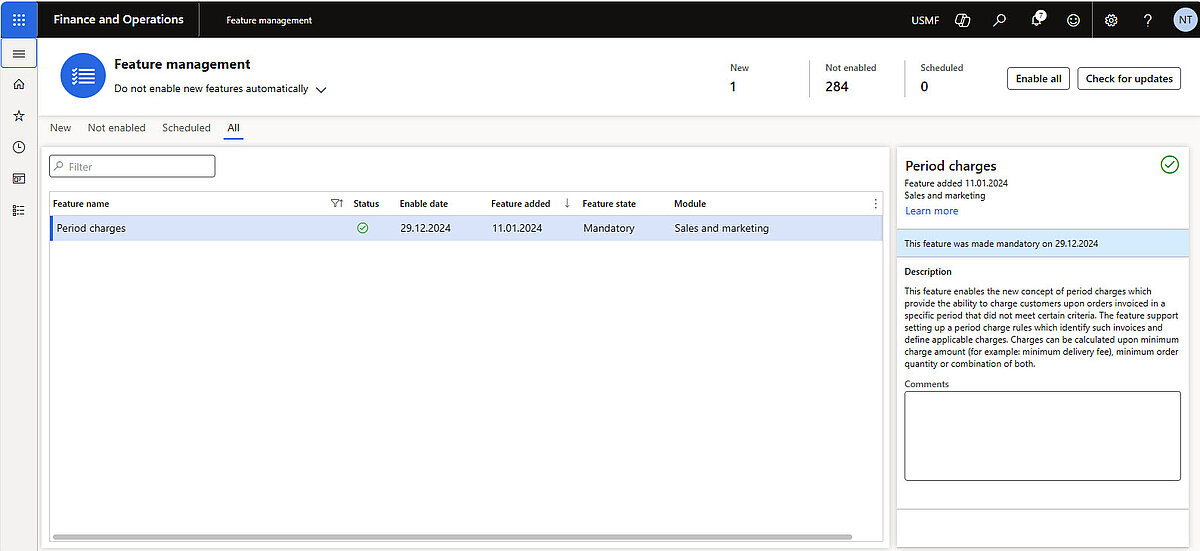
- The feature that's named Period charges must be turned on in Feature management.
- Starting with version 10.0.42, it was enabled by default. As of version 10.0.45, the feature is mandatory and cannot be turned off.
Set up for Period charges calculation in the Accounts receivable parameters
Accounts receivable > Setup > Accounts receivable parameters
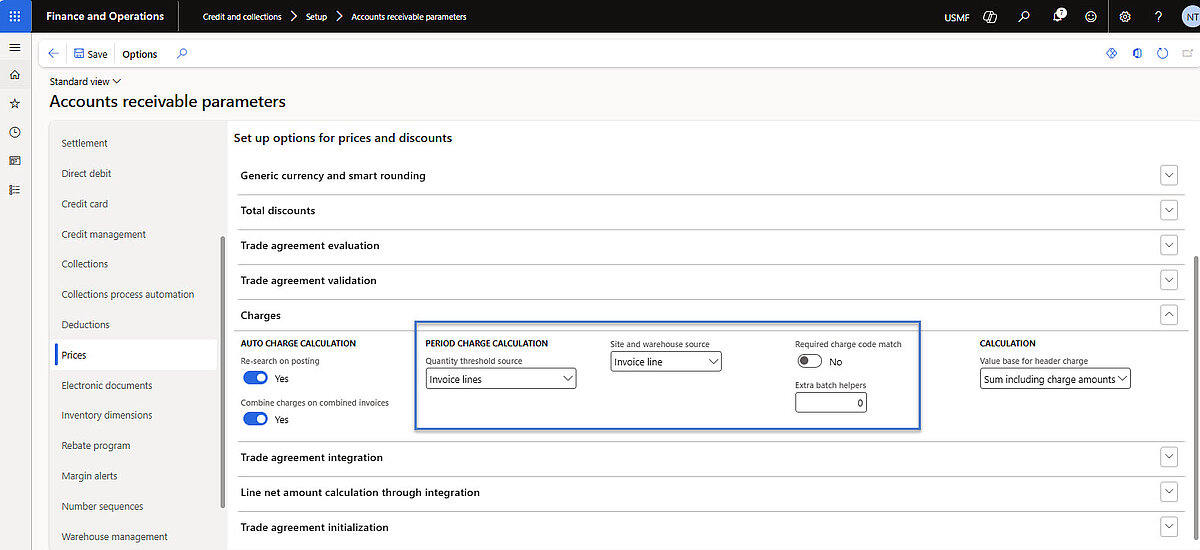
In the Accounts receivable parameters, the new fields are located on the “Prices” tab in the “Charges” section:
- Quantity threshold source – for choosing one of the following options to define type of lines to consider when applying quantity-based period charge rules:
- Invoice lines – use quantities from invoice line (recommended unless specific business needs require otherwise.)
- Sales order lines – use quantities from sales order line (including canceled sales order lines).
- Site and warehouse source – for specifying where to align site and warehouse values used as criteria in period charge rules:
- Invoice line – map values from individual invoice lines (CustInvoiceTrans table). (Recommended unless specific business needs require otherwise.)
- Sales order – map values from sales order header (SalesTable table).
- Required charge code match – for selecting whether calculations for Monetary threshold or Quantity threshold minimum amount type must include at least one invoice line charge that corresponds to the charge code on the rule line for a free text invoice. (Recommended: Yes, unless business needs to dictate otherwise.)
- Extra batch helpers – for indication how many batch helpers (threads) should assist with load balancing during batch execution of period charge calculations.
Confiduration of period charges rules
Accounts receivable > Charges setup > Period charge rule
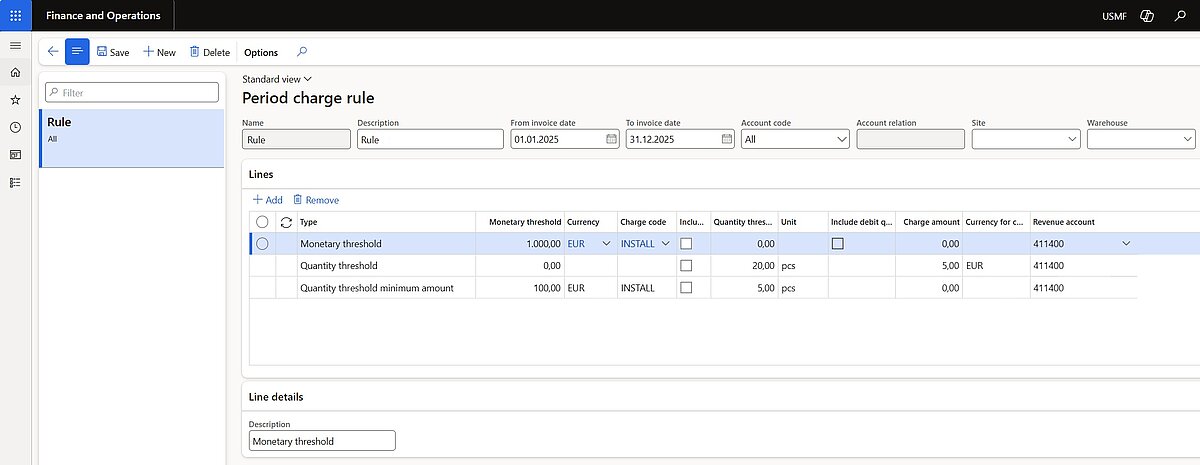
On the Header of new rule should be inserted information for:
- Name –a name for the rule.
- Description –a short description of the rule.
- From invoice date –the first date when the rule is valid.
- To invoice date –the last date when the rule is valid.
- Account code – one of the following options to set customer accounts:
- Table – the rule will apply only to the customer account which will be mentioned in the Account relation field.
- All – the rule will apply to all customer accounts.
- Account relation – if the Account code field set to Table, here will be set the specific customer account that the rule applies to.
- Site – the site where the rule applies (can be blank for all sites).
- Warehouse – the warehouse where the rule applies (can be blank for all warehouse).
On the Lines FastTab, can be added, removed or changed rule lines as required for customer:
- Type – one of the following values to specify the type of charge for the rule:
- Monetary threshold – establish minimum monetary limits for charge types, calculate qualifying charges, and issue a free text invoice line for any deficit when thresholds are not met.
- Quantity threshold – assess the combined quantity of qualifying items, define a minimum threshold, and issue a free text invoice line applying a fixed charge to customers below the threshold for the period.
- Quantity threshold minimum amount – apply charges based on combined quantity and monetary thresholds and generate free text invoice lines where necessary.
Example
For customer US-010, some sales invoices are posted from December 11, 2025, but no charges are posted. According to requirements such rules for period charges should be taken to attention:
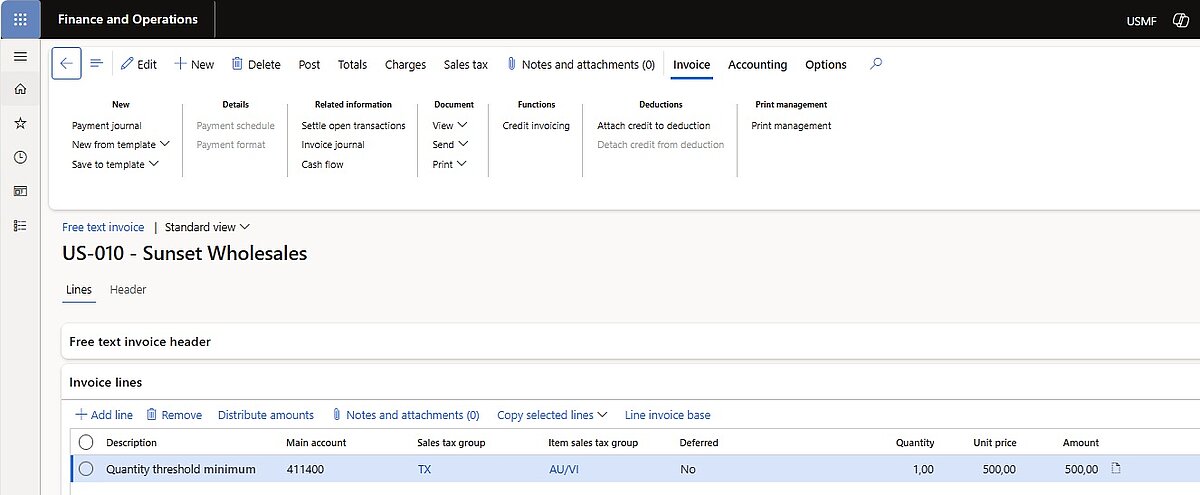
- Quantity threshold minimum amount – 500 EUR up not exceeding invoiced 200 pcs.
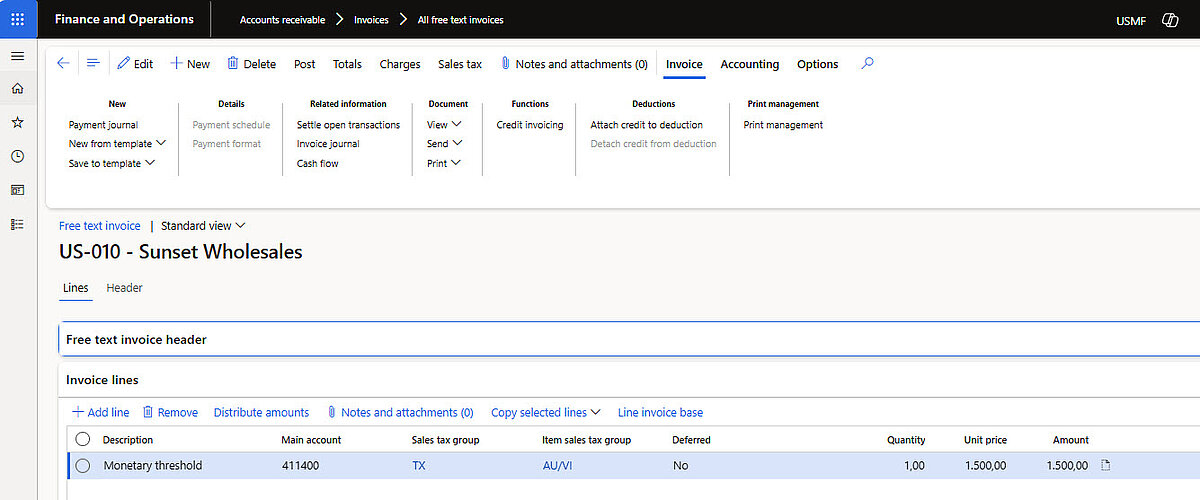
- Monetary threshold – in totals up to 1500 EUR for period.
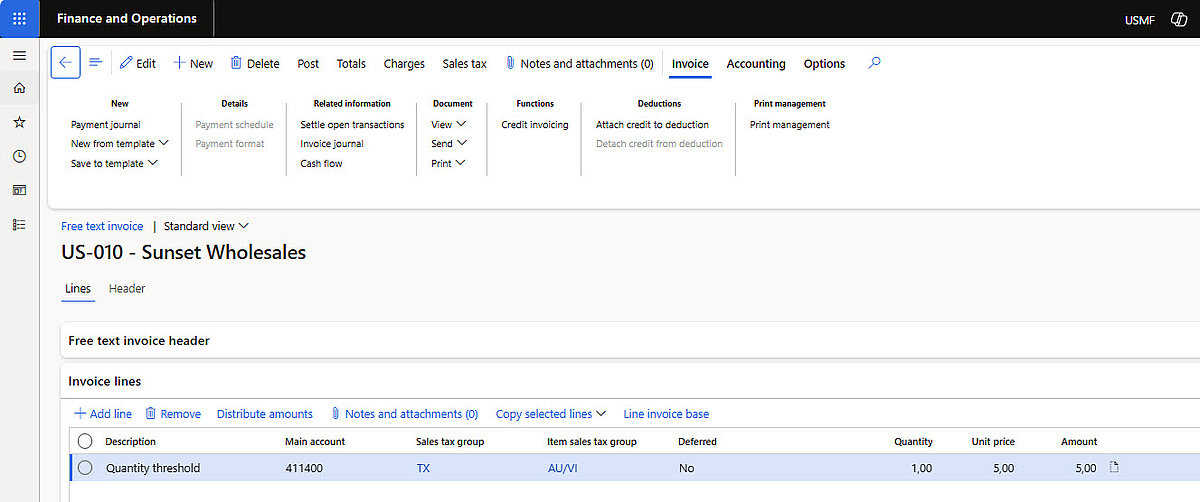
- Quantity threshold – 5 EUR up to maximum of invoiced 100 pcs.
Period charge rules for customer US-010 will be set as below:
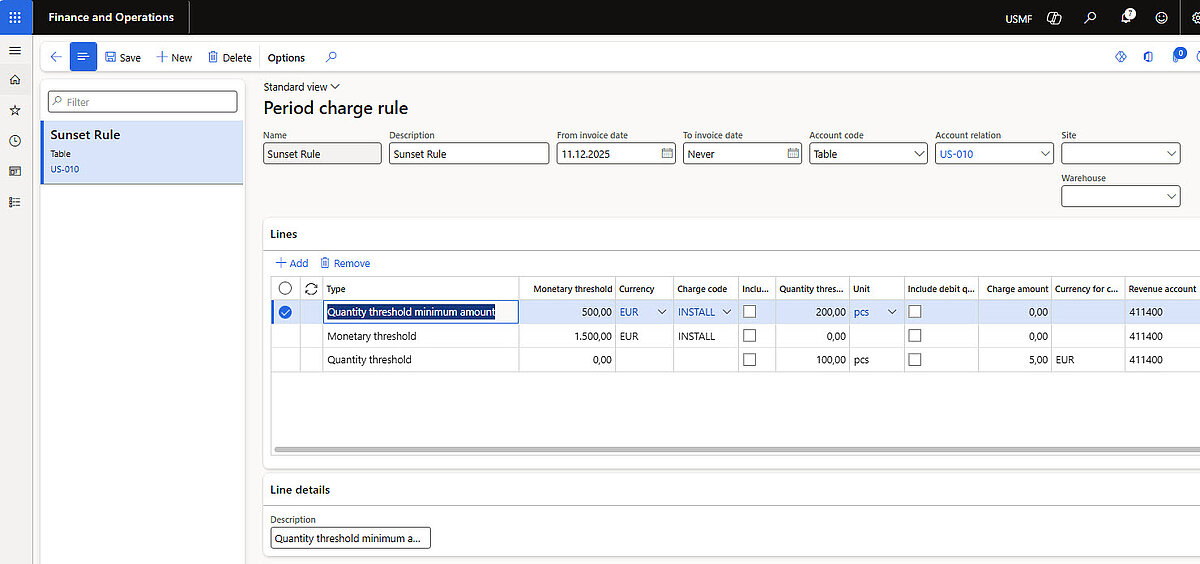
Today, from December 11, 2025, in system available only one invoiced Sales Order, which has no posted charges.
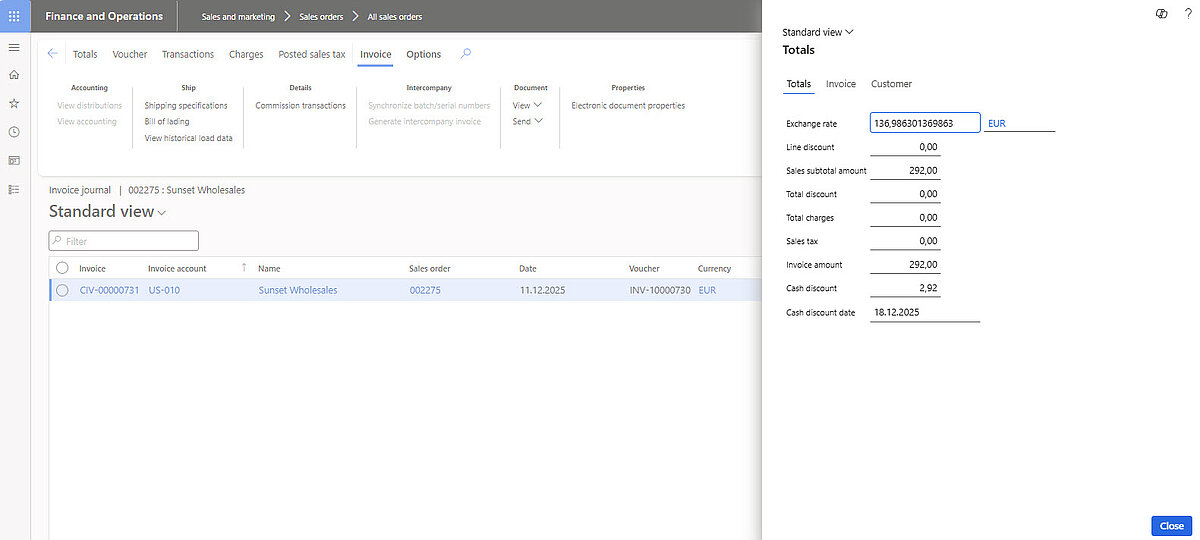
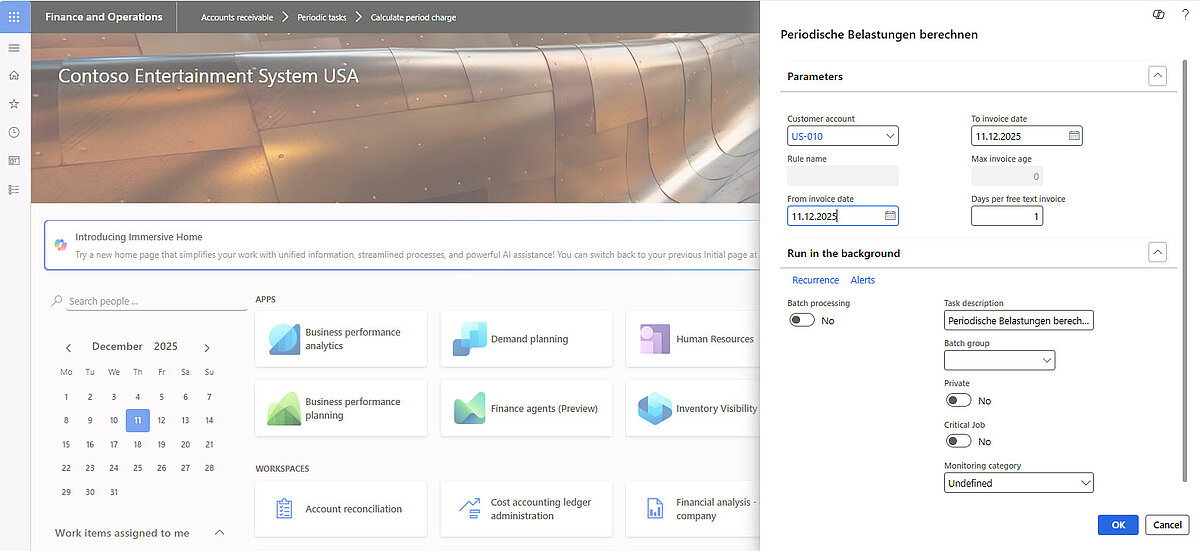
So according to created rule, system should generate free text invoiced for all three positions. Calculation for required period charges should be pushed on the Page Accounts receivable > Periodic tasks > Calculate period charge.
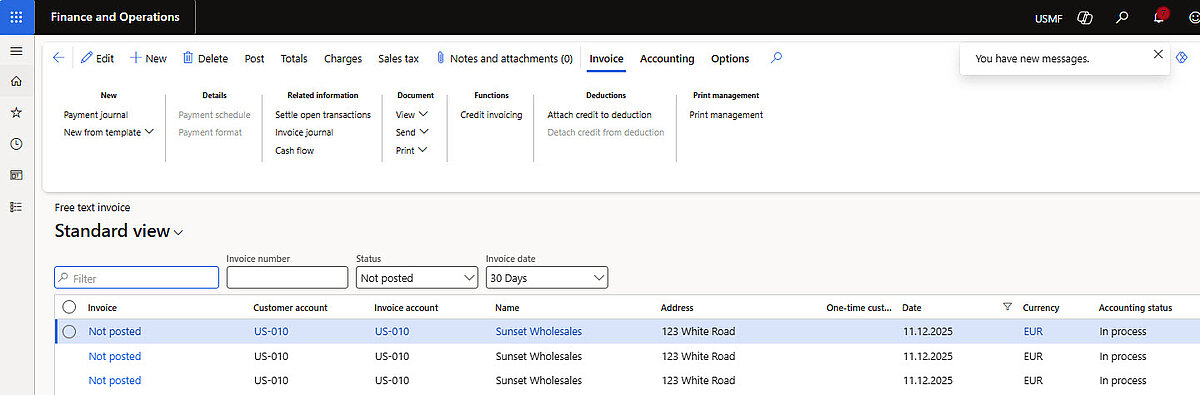
And free text invoices will be then visible on the page Accounts receivable > Invoices > All free text invoices.
Where will all three calculated period charges be visible:
Do you want to efficiently implement the Recurring Charges feature in Dynamics 365 within your company, or do you have questions about the setup?
The experts at dynamity group can support you in implementing, optimizing, and automating your business processes in D365.